
PrimeTM
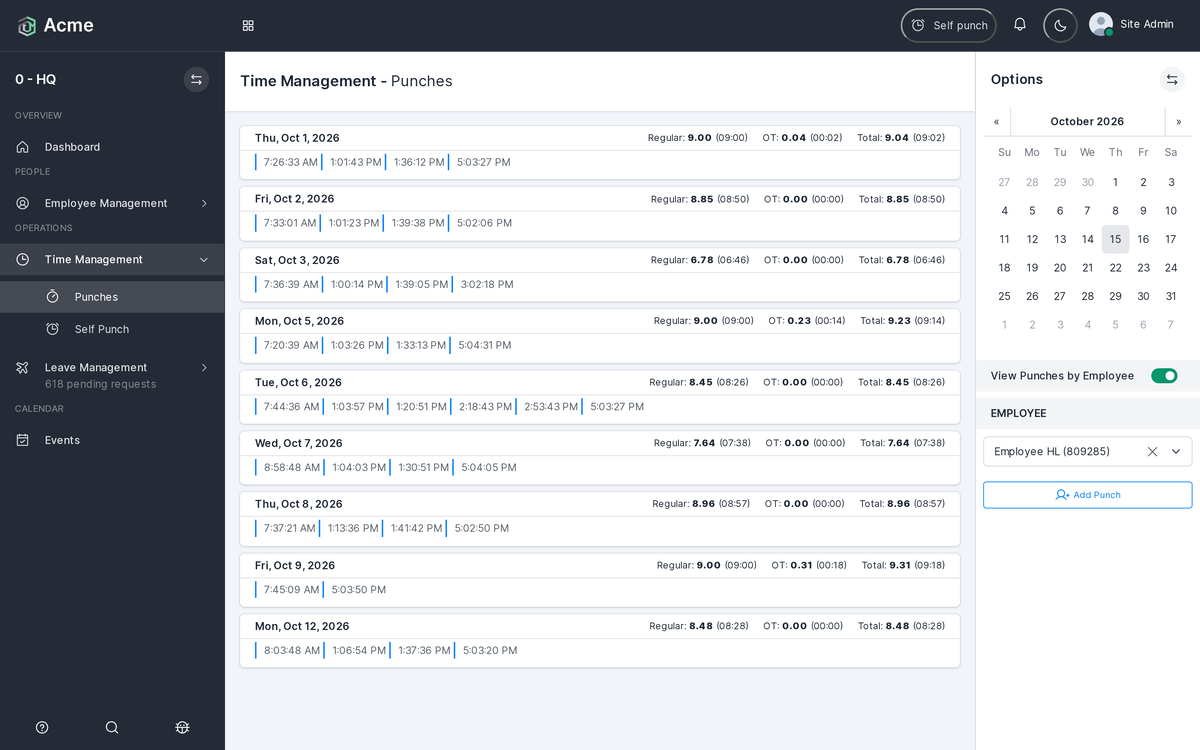
Punches off the floor into a pay period, and a payslip at the end of it — with Social Security and income tax worked out for Belize.
- Social Security and income tax on every run
- BZ$10 per user, per month
- We migrate your data
- Built in Belize
What PrimeTM does
Everything your people function needs, in one place.
Every module reads from the same employee record, so nothing is entered twice.
Payroll
Run every pay period in one pass: payslips, adjustments, bonuses and re-runs, without breaking the history.
Time & attendance
Punches, overtime and day-off schedules, from the clock straight into pay.
Leave & absence
Requests, approvals and accruals that reconcile — annual vacation, sick and maternity leave.
People & records
One employee record for everything: the directory, departments, supervisors and employment history.
Statutory & reporting
Social Security contributions by period, income tax withholding, and payroll and attendance exports.
Admin & controls
Company, branch and payroll settings, role-based access, and an audit log of every change.
Built in Belize
Built for the way Belizean payroll actually works.
Not a generic HR tool with a localisation setting: Social Security and income tax are part of the payroll engine.
- Social Security worked out per employee and period, summarised by branch and ready to export for filing
- Income tax withheld on every run, and reportable for any date range
- An audit trail on every change, including corrections to a pay period
- Regular87.20 h
- 872.00
- Overtime4.75 h
- 71.25
- Gross
- 943.25
- Social Security
- −41.72
- Net pay
- $901.53
With Quasar
Payroll straight into your books.
Each pay period goes to Quasar as a journal entry, so nobody types payroll in twice.
- 01PunchesClocked in and out, with overtime split out daily
- 02Pay periodHours and rates for every employee and branch
- 03PayslipsSocial Security and income tax deducted
- 04Quasar journalThe period exported to the books in Quasar
We will build exports for whatever is required.
Screens
From the running application.
Three of the 27 screens in PrimeTM’s product tour. Select one to see it full size.
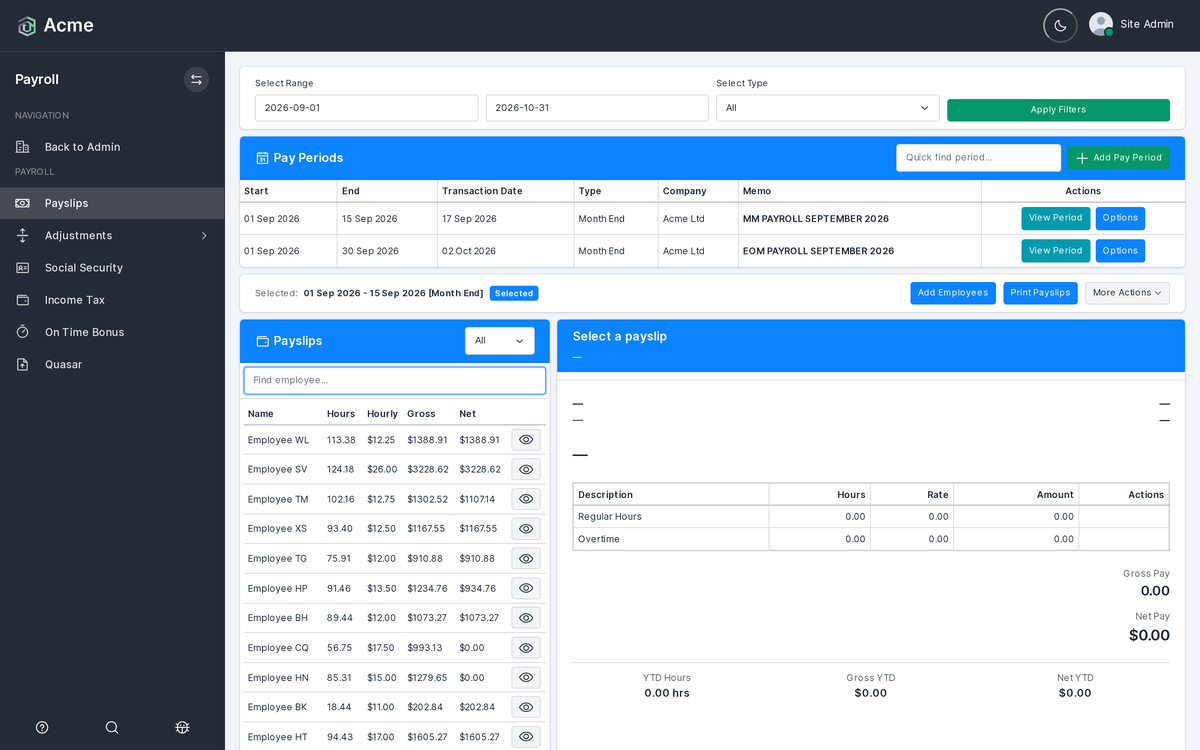
Pay periods and payslips — hours, rates and net pay for every employee.
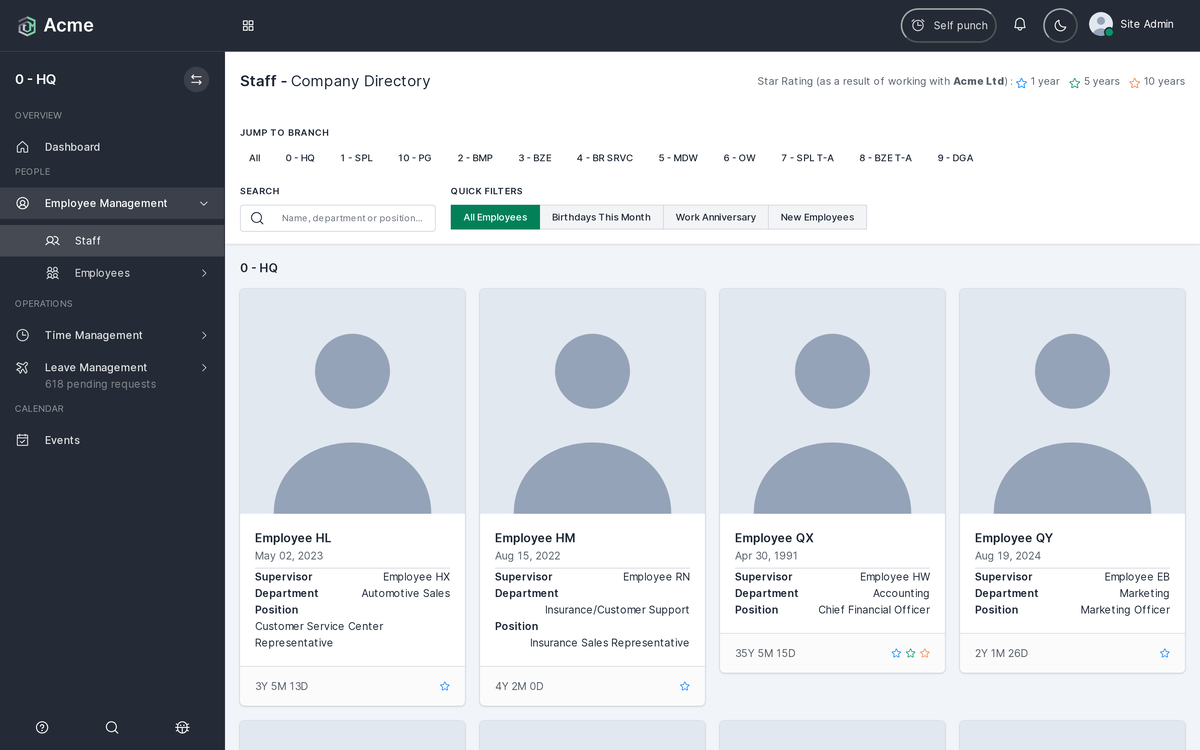
A directory your managers can actually use — by branch, birthday, anniversary or tenure.
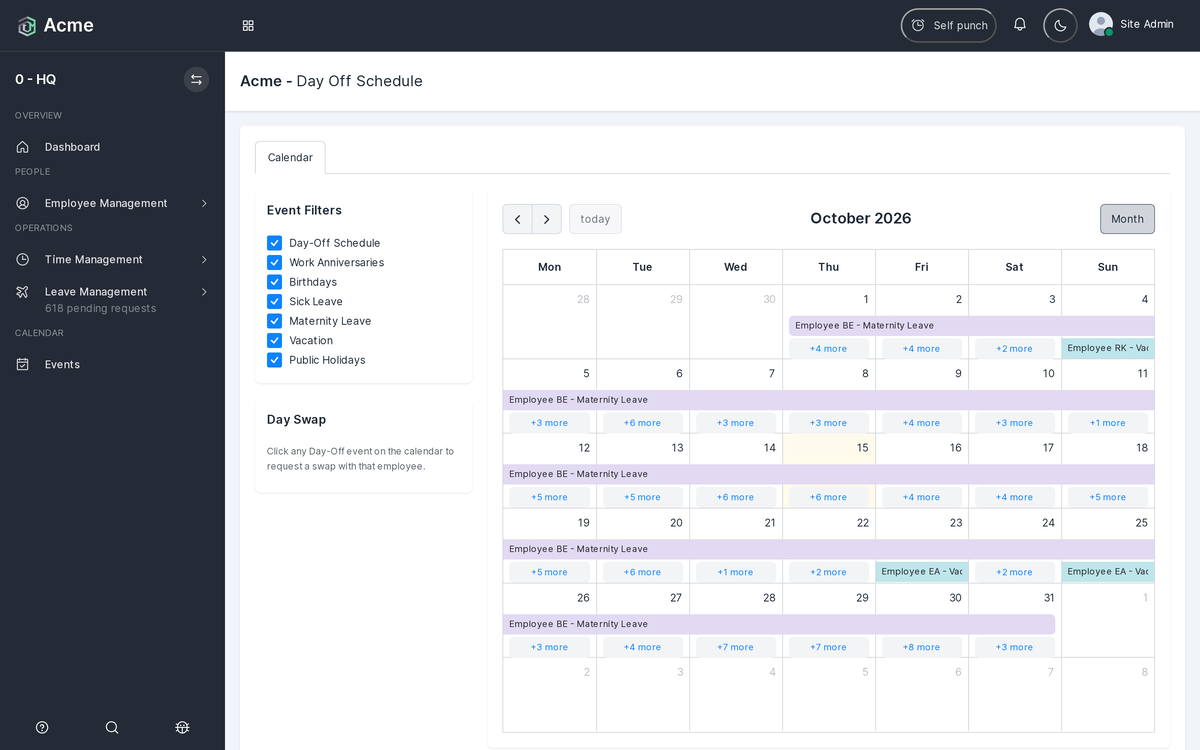
See who is off before you build the rota.
Getting started
Switching is the easy part.
You send a spreadsheet. We do the setup, the import and the first run with you.
Send us your employee list
A spreadsheet is fine — we will tell you which columns we need.
We set up your company
Branches, pay periods, closing dates and payroll rules configured for you.
We import and check
Employees, balances and history imported, then reconciled with you before go-live.
You run the first payroll
We sit with you for your first run on your own data.
Pricing
BZ$10 per user, per month.
One plan with every module, billed monthly per active user. The same team as Quasar, here in Belmopan City.
- Payroll, payslips and statutory calculations
- Time, attendance and leave
- Employee records and self-service
- Email and phone support during business hours
Prices exclude applicable taxes. Training, data migration and any bespoke work are quoted separately before the work starts.