Quasar
One application for the counter, the stock room and the books — built for how business is done in Belize, and sized to grow from a single shop to 100+ users across every location you run.
- 100+ concurrent users
- Unlimited transaction history
- GOB E-Invoicing ready
- Runs offline
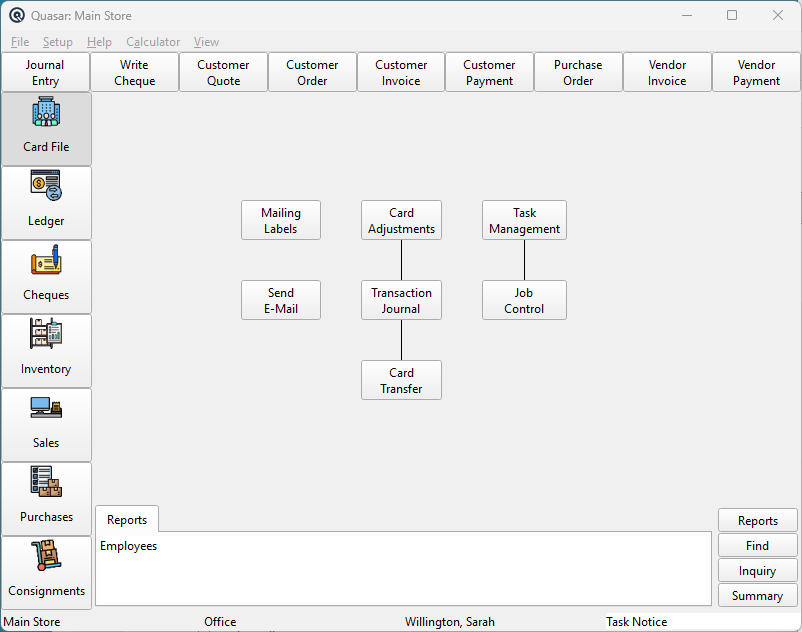
What Quasar is
One application, not a suite that has to be kept in sync.
A sale at the till is an inventory movement and a ledger entry in the same instant, because they are the same record. Nothing is imported, exported or reconciled between modules.
Grows without limits
Hundreds of concurrent users across multiple stores, on one database. Adding a location is a configuration change, not a migration project.
Built for volume
High-throughput retail and restaurant trading — thousands of transactions a day without the month-end slowdown that file-based systems develop.
Keeps its whole history
No archiving, no year-end cut-off, no separate “old data” file. Every transaction stays queryable for as long as you keep the business.
Yours to deploy
Self-hosted on your own server or cloud-hosted by us, depending on how you would rather run it.
The suite
Six components. One database underneath all of them.
Quasar Server
One database holding the ledger, the stock and the customer file. Every workstation, till and phone reads and writes to it — which is the reason nothing has to be reconciled between them afterwards.
Quasar Workstation
The full client. Accounting, sales, purchasing, inventory and reporting in one window, with drill-down from any report line back to the transaction underneath it. This is where the business is run from.
Quasar Point-of-Sale
The till. Keyboard-driven, scanner and scale aware, multiple tenders and cash reconciliation — and able to keep trading against a local copy when the line to the server goes down.
Quasar Admin
Users, stores, workstations and permissions. Who can discount, who can void, who can adjust stock, who can see a cost price — set per user, per store and per till.
QuasarReach Mobile
Counting, picking, receiving, price checks, label batches and restocking, from a phone in the aisle. Pre-load the database and it carries on working with no signal.
Quasar Import
Bulk data in — from head office, from a supplier price file, or out of the system you are leaving. Catalogues and price updates without anyone retyping them.
The modules
Different jobs. One set of records.
Point of sale
Checkout in seconds, not minutes.
Barcode scanning, split tenders, suspended sales and returns, on a till driven entirely from the keyboard so a trained cashier never reaches for a mouse.
- Every function on an F-key
- Keeps selling when the internet drops
- Table and counter service, kitchen printing, modifiers
- Cashier, manager and supervisor permissions
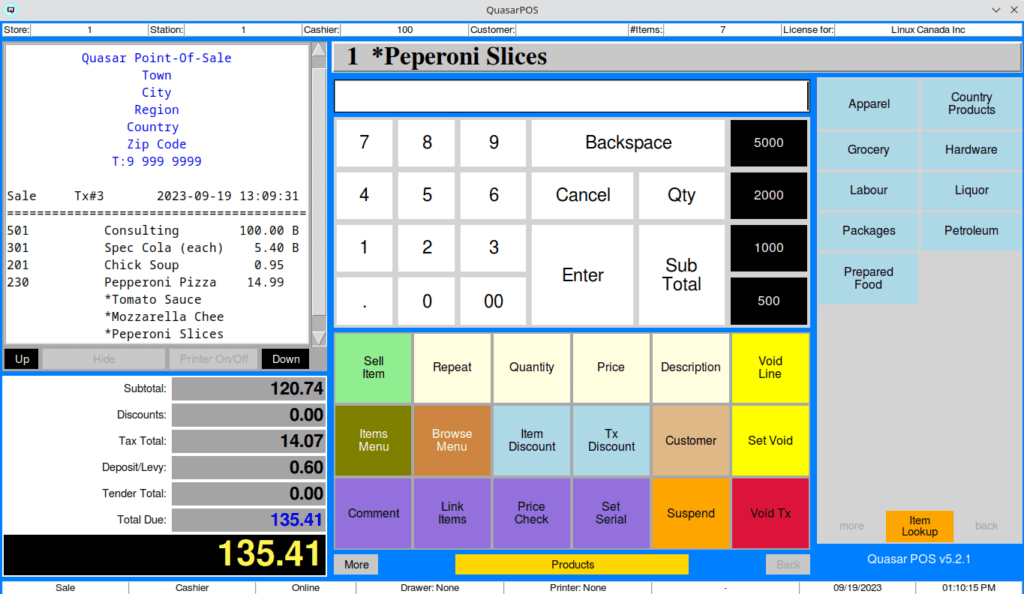
Point-of-sale, mid-transaction
Inventory control
Every item. Every store. Always accurate.
Live stock across all branches, with automated reorder points, store-to-store transfers that have to be received before they land, and counts done from a phone on the shop floor.
- Kit and recipe management down to the ingredient
- Serial and batch tracking
- Pricing zones, quantity breaks, cost-plus and customer-level pricing
- Transfer-out at one store, receive at another
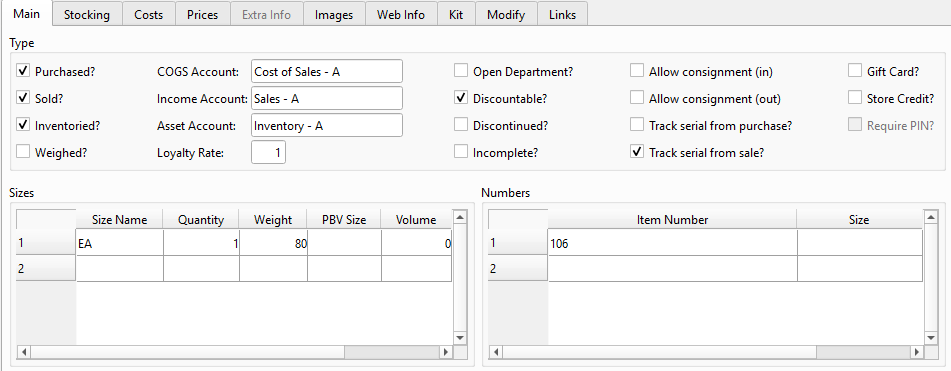
Item master — stocking, costs, prices, kit
Accounting
Reports your accountant will actually accept.
Full double-entry underneath everything, so the financials are generated from the same records the tills and the warehouse write to — not assembled afterwards.
- Balance sheet, P&L, aged receivables and payables
- GST returns that reconcile
- GOB E-Invoicing built in
- Consolidated or per-store reporting
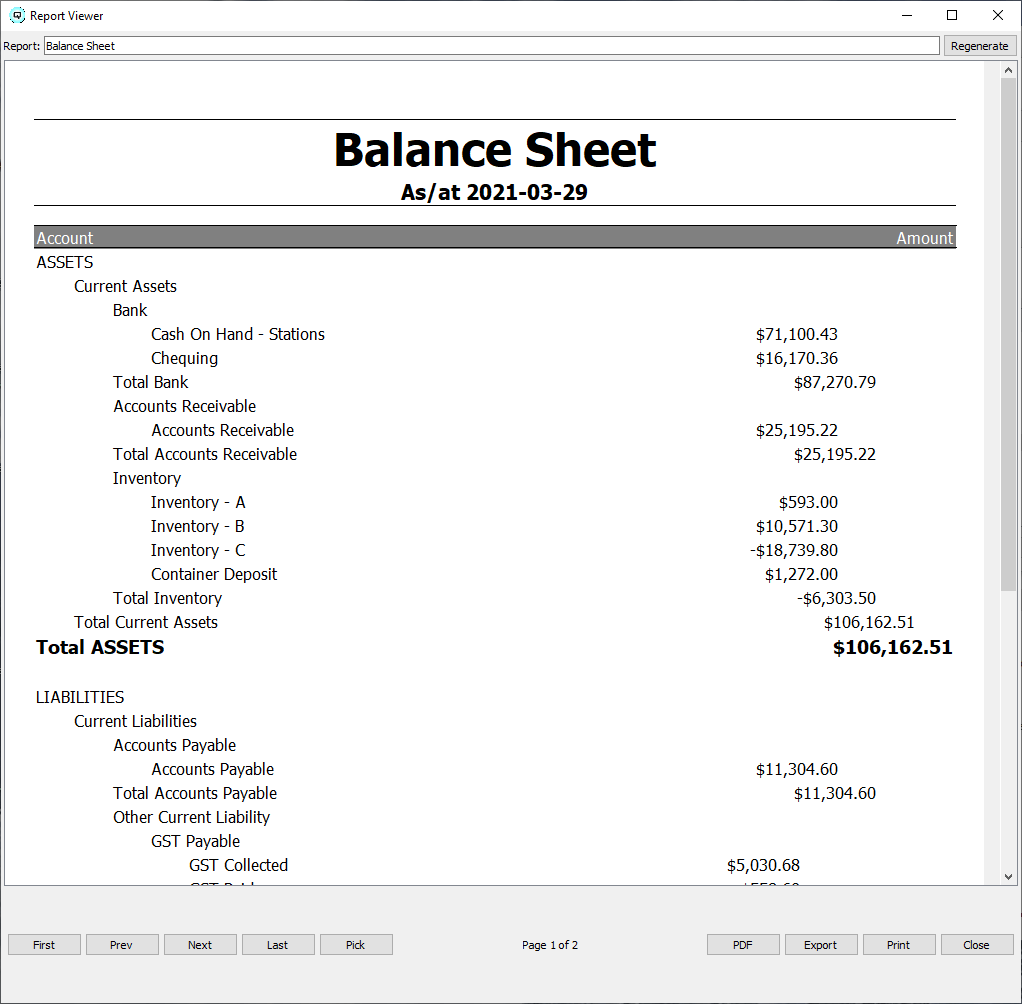
Balance sheet in the report viewer
QuasarReach mobile
The system, out on the floor.
A phone or handheld on the same database as the tills. Count stock where the stock actually is, pick a quote in the warehouse, receive a delivery at the dock, check a price in the aisle, and print the label batch for the shelf you are standing at.
- Counts, adjustments, transfers and restocking
- Pick quotes and orders for fulfilment
- Receive stock and raise packing slips at the dock
- Pre-load the database and keep working with no signal
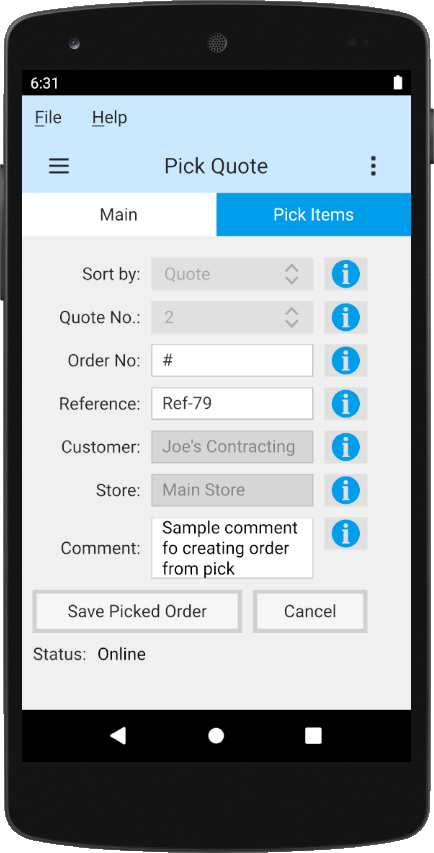
QuasarReach picking against a quote
Built in
Ask your books a question.
Quasar’s assistant takes a request in plain English and hands back a live, sortable data list you can open straight into the underlying records. No report to design first, and no export to a spreadsheet to answer a one-off question.
- Plain-English queries against live data
- Results open directly into the item, customer or transaction
- Voice input as well as typed
- Configurable skills and providers
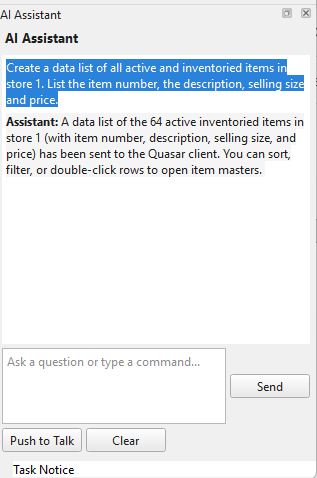
The built-in AI assistant
Depth
The detail is where the years went.
Quasar has been developed and used in real trading businesses for a long time. This is the part of the product a demo usually runs out of time for.
Pricing that holds at every till
Up to four price levels an item, cost-plus, percent-off and at/for calculations, quantity breaks and price zones per store. A price batch recalculates against a target margin and prints the shelf labels from the same screen.
Promotions, gift cards and loyalty
Promotional batches launched by price zone and store. Gift cards and store credits sold, redeemed and carried as liabilities at every branch. Loyalty points awarded by item or by department, with the prompts at the till.
Purchasing that writes itself
Purchase orders generated from min/max levels and purchase multiples, or from sales history over a period you choose. Order for one store, a store group, or the whole company into a central point for distribution.
Stock you can trust
On-hand, on-order and in-transit at company or store level. Count sheets, count entry and variance reporting. Serial numbers, production batches, and matrix items for the same product in six sizes and four colours.
Consignments and layaway
Consignment in and consignment out, both with returns and status tracking. Layaway plans with payment schedules and running balances. Posted properly into the ledger rather than kept in a book behind the counter.
Warehouse and receiving
Packing slips, store-to-store transfers with in-transit tracking that has to be received at the far end, and mobile picking verified before any stock moves.
Restaurant operations
Order tracking from table to kitchen, printing to the right station, modifiers, and kit management so a plate sold draws down its ingredients.
The web store, in the same books
QuasarReach syncs items, stock, promotional prices and orders with WooCommerce and OpenCart over an encrypted connection, so a web sale posts to the ledger like any other sale.
Assets, jobs, time and shifts
Fixed assets with depreciation. Jobs and work-in-progress billed from tasks. Employee time clock. Shift close with tender reconciliation, so the drawer is counted against what the till says it took.
Who is allowed to do what
Cashier, manager, supervisor and administrator, set per user, per store and per workstation. Control who can discount, who can void, who can adjust stock and who can see a cost price.
Reports that drill down
Trial balance, balance sheet, profit and loss, aged receivables and payables, stock movement and valuation — and every line traceable back to the transaction that produced it.
Fuel sites
Pump controllers polled directly, with the forecourt trading into the same inventory and the same ledger as the shop behind it.
Documentation
Every screen, written down and public.
More than 240 illustrated help topics and a step-by-step user guide, covering the product from installing the server through to closing the year. It is online, it is free, and it is there before you have spoken to anybody — so if you want to know exactly what you would be taking on, you can go and read it this afternoon.
With Turnkey
The software, localised and supported here.
Belize-ready compliance
GST and the GOB E-Invoicing requirement are handled in the product, with local reporting built to the rules you actually file under.
A direct line to development
We work directly with Quasar’s developers. A change you need is a conversation, not a feature request into a queue.
Deployment on your terms
Self-hosted on your own hardware or cloud-hosted by us — and you can change your mind later.
See Quasar on your own numbers.
We will bring a copy loaded with data that looks like yours, sit down with the people who would be using it, and show you the parts that touch how you already work.